Base
Your inbox, calendar, and to-dos — handled, never surprised.
The part of SafePersonalAI every install starts with. It reads your new email and the iMessages you send it, works out what needs doing, and prepares it. You decide what happens next.
It reads
New email from Gmail or Apple Mail, and messages you text it from your own number — understood in many languages.
You approve
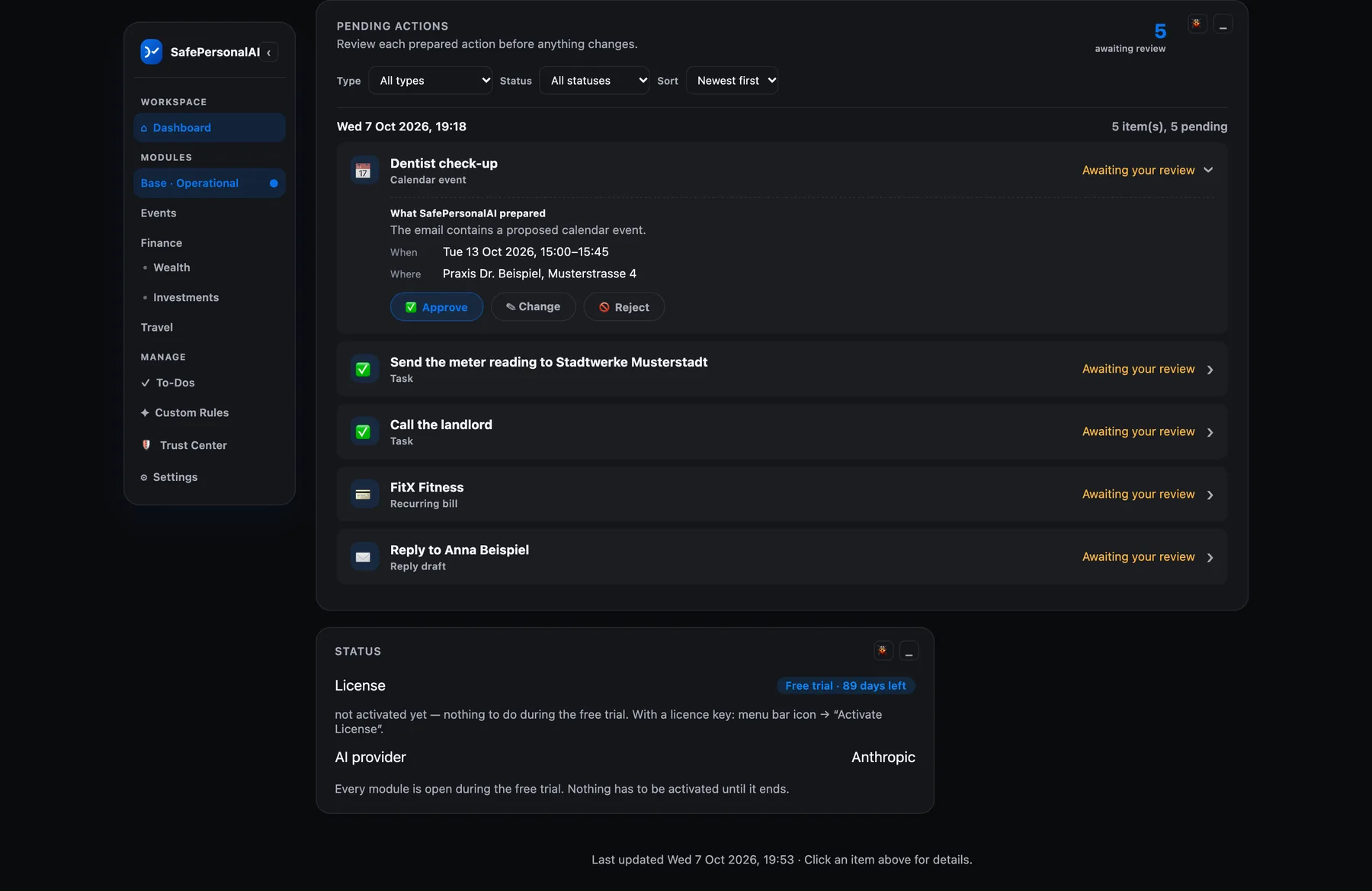
Every proposed calendar entry, bill or booking lands in one review list. Approve, reject or snooze it — on the dashboard or from the menu bar.
It acts
Only then does it happen — an event lands on your calendar, a bill is tracked. It never sends an email for you.
What you get
Your inbox, read for what it asks of you
It reads new mail and works out what it asks of you — a task with its deadline, an appointment, a changed appointment, a bill, a renewal — and prepares it for your OK. A date that is not in the text is never invented.
Calendar entries, without inviting anyone
Approved events go to Google Calendar, Apple Calendar or both. It cannot invite anyone else — that capability simply is not in the software.
To-dos with dates
Add, tick off, snooze. Colour shows what is overdue, due soon or fine, and a repeating to-do comes back on its own. If you like, a morning briefing tells you today's agenda and the bills due.
Text it from your own number
More than 25 iMessage commands, each switched on separately: “Remind me to call the landlord tomorrow”, “What's on my calendar tomorrow?”, “Where's my package?”, or “Explain this:” with a pasted letter. It answers only you.
Your own simple rules
“When an email or message mentions X, do Y”: a to-do, a calendar block, or an income or expense entry. Built on a simple form, no code.
Your own AI key — or none at all
A local Ollama model on your Mac means no AI bill; it can be slower and less exact than a cloud model. Prefer Anthropic, OpenAI or Gemini? Connect your own key and pay them directly — we are never in the middle. Some providers offer a free allowance with limits and their own data terms; please check their official website.
What you actually see
One calm queue for every decision.
SafePersonalAI reads what arrives, prepares a clear suggestion, and keeps the final decision in your hands.
Base · Operational · Your private action center
Good morning
Awaiting review
3
Activity this week
12
License
Active
Activity at a glance
Illustrative · last 7 days
Pending Actions
3 awaiting reviewBill tracked
Electricity · due 28 Oct
Calendar change
Dentist · review before saving
Task prepared
Call the landlord · tomorrow
Connected sources
Mail.app · iMessage
Output
English · EUR
 SafePersonalAI·SettingsIllustrative preview
Your profile
Cosmetic, stored on this browser
Accent color
Preview onlyAI provider
Anthropic selectedAuto-Approve
Each action type has its own switch · demo only
Connected Accounts
Gmail · Apple MailIllustrative website interaction — real settings stay on your Mac.
Messages · SafePersonalAI
Illustrative preview · synthetic example
Synthetic conversation · clicking only changes this preview.
See it in action
The kind of thing it handles every day.
Three everyday examples. Click one to see what SafePersonalAI does with it.
Email from the dental practice
“Your appointment is on Thursday at 15:00.”
Add “Dentist — Thu, 15:00” to your calendar
Prepared from the email, with its source shown
It waits for your OK.
Email from the school office
“Please send the signed form by Friday.”
To-do: send the signed form — due Friday
The deadline is the one stated in the email, never a guess
It waits for your OK.
Email: your appointment has moved
“Your appointment has moved from Tuesday to Thursday.”
Calendar change prepared: Tuesday → Thursday
The existing entry is updated, not duplicated
It waits for your OK.