iPhone · coming soon
Your Mac does the work. Your iPhone says yes.
An optional companion for people who use SafePersonalAI on a Mac. Approve what is waiting, check your day and your money, add a to-do — from anywhere. Your data stays on your Mac; the phone shows a locked copy that travels through your own iCloud.
Pair once, with the camera
Your Mac shows a code. Point the iPhone at it, confirm on the Mac. The two now share a key that never travelled anywhere.
See what your Mac sees
What is waiting for your OK, your week, your to-dos, your money — the last picture your Mac sent, even while the Mac sleeps.
Say yes from anywhere
Approve, reject, add a to-do. Your Mac carries it out as soon as it is awake and online, and tells the phone it is done.
What you get
Not even Apple can read it
Everything the two exchange is locked with the pairing key before it leaves the device. It travels through the private part of your own iCloud. We run no server, so there is nothing of yours on ours.
Approve what is waiting
A notification when something needs your OK, then Approve or Reject. Anything that needs a detail only the Mac can collect says so, instead of guessing.
Your day and your week
Events from Apple and Google Calendar, coming birthdays, and payments due this week.
Your money, with the charts
With Wealth: balance, spending by category for a month up to a year, budgets, the latest transactions, the next 30 days, and your investments with gain and loss.
The phone cannot change your keys
Keys, mail accounts and trusted senders are set on the Mac only. The phone can ask for a short, fixed list of things — and each request is checked by the Mac.
Stop any time, lose nothing
End the subscription and the phone goes quiet at the end of the paid month. Nothing on your Mac changes, and your pairing is kept if you come back.
What it looks like
Six screens you will use every day.
Real screens of the app, filled with its built-in sample data — the same “Look around with sample data” you can open before pairing a Mac. The app itself is in English.
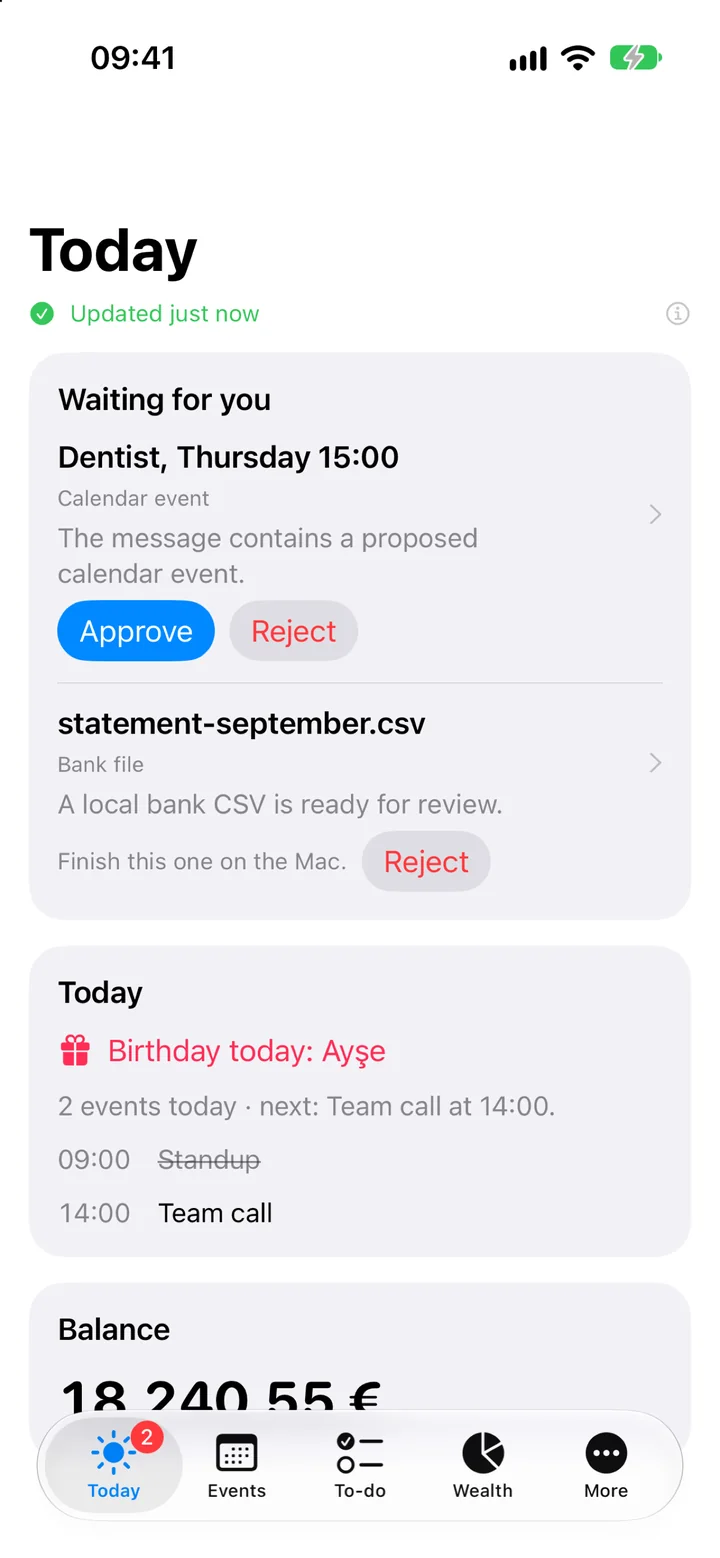
Today
What is waiting for your OK, with Approve and Reject, then your day: events, birthdays and your balance.
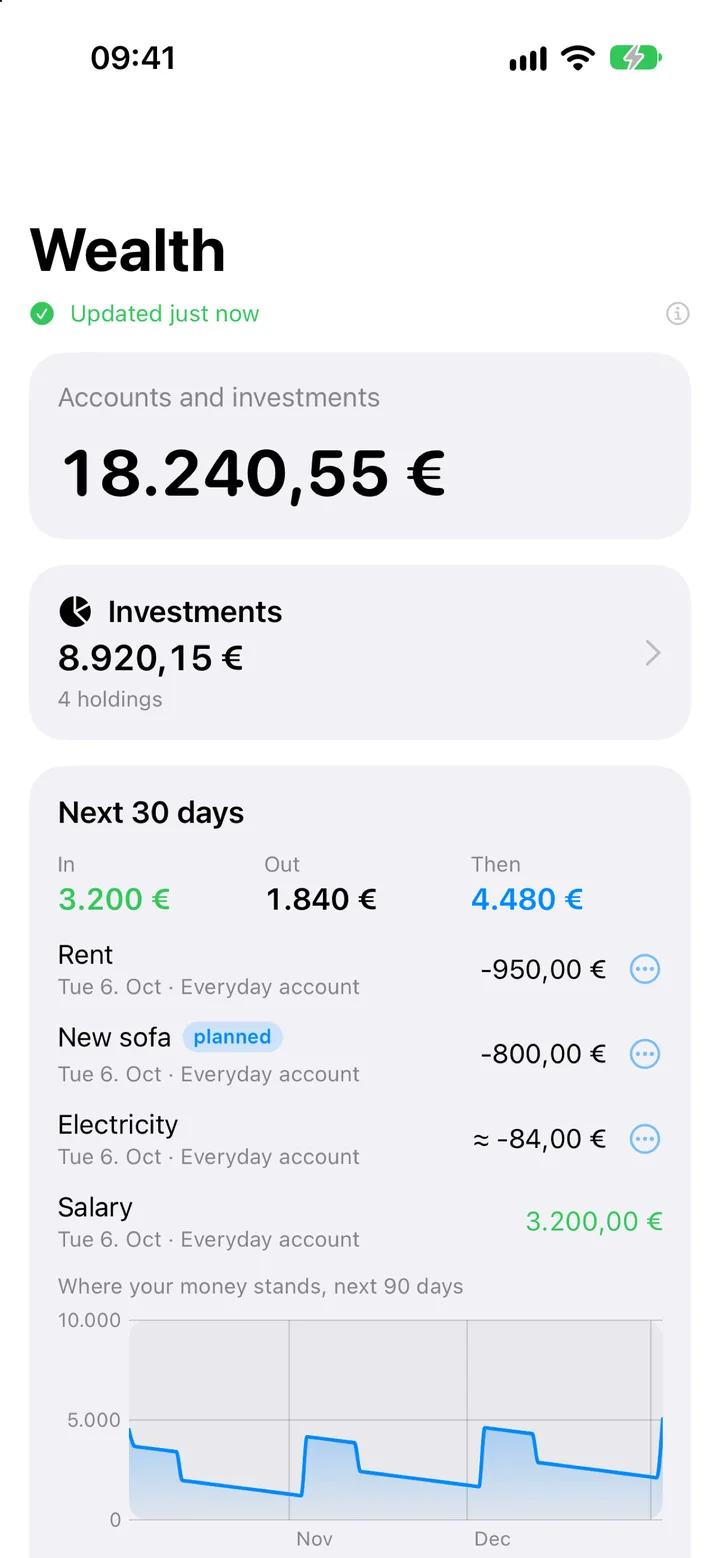
Wealth
Your total, the payments of the next 30 days and where the money stands after them. Needs the Wealth module.
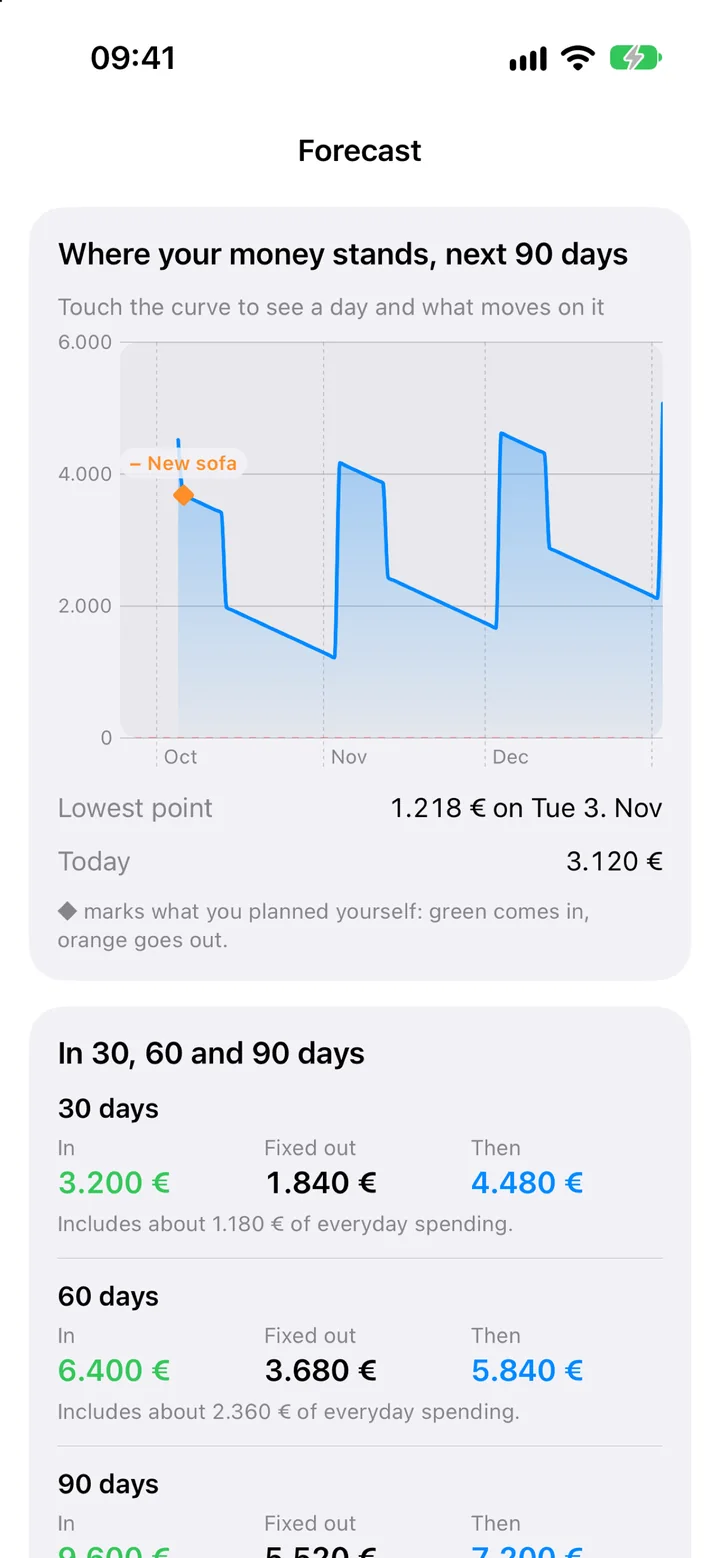
Forecast
The next 90 days as a curve. Touch it to see a day and what moves on it, including what you planned yourself.
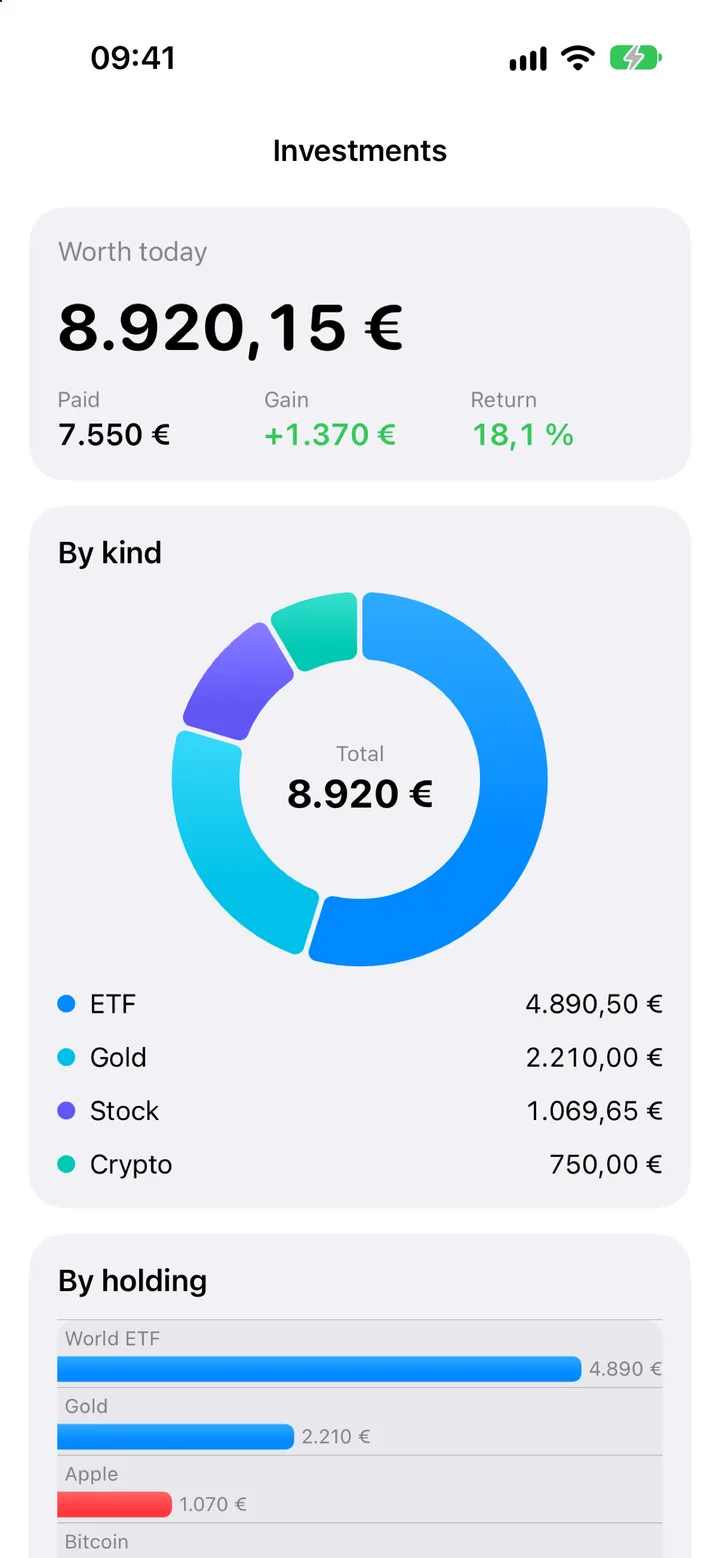
Investments
What everything is worth today, what you paid, and each holding with its gain or loss.
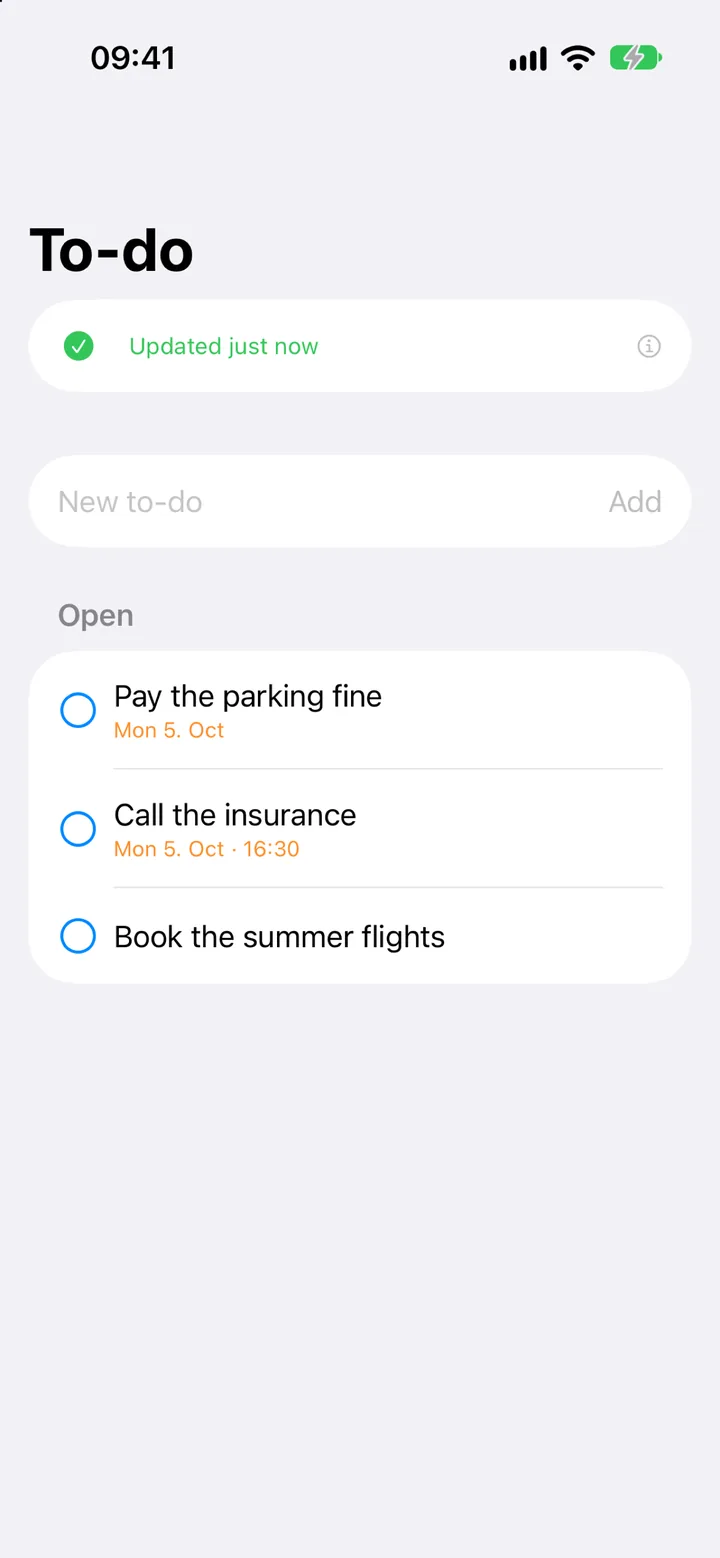
To-dos
Your open to-dos with their dates. Add one, tick one off, or swipe it to tomorrow.
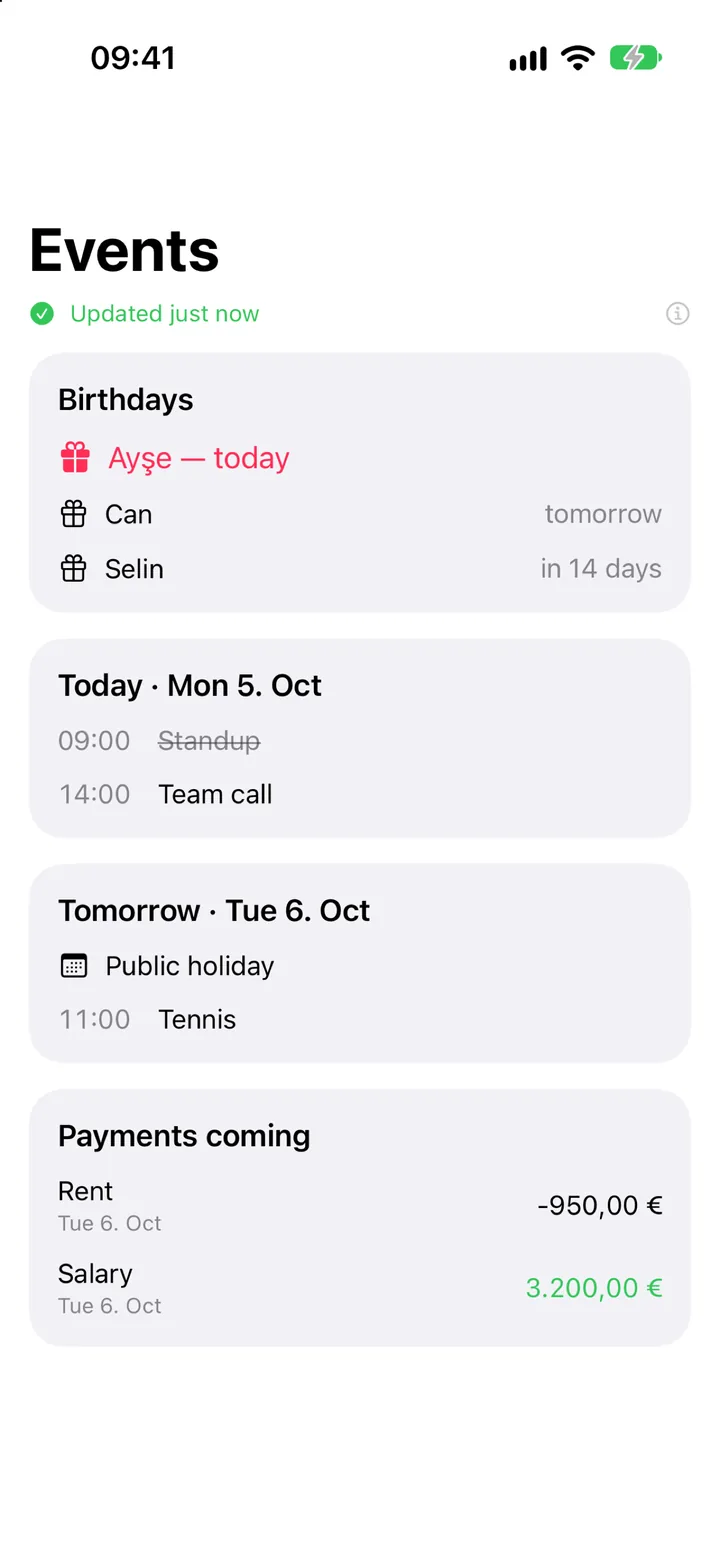
Events
The week ahead from Apple and Google Calendar, coming birthdays, and payments due this week.
From your iPhone
Text your Mac. It answers.
Send a message to yourself in iMessage. The app on your Mac reads it and replies to you, and only to you. Each command is switched on separately in Settings. This works with the Mac app and Messages alone; it does not need the iPhone app below.
What is my spending this month?
This month's spending by category, what changed since last month, and how fresh each account's data is.
A to-do, by text
“Remind me to call the landlord tomorrow” becomes a to-do with its date.
How was my month?
Spending by category, compared with last month, from your own statements.
Explain this letter
Paste an official letter and get it in plain words. Its deadline becomes a to-do.
What do I need to bring?
It quotes what your appointment's confirmation email asks you to bring.
Example names, dates and amounts. The app answers in English today.
Good to know before you subscribe
- It needs the Mac app. The iPhone app is a window onto SafePersonalAI on your Mac. It does not work on its own.
- Same iCloud account on both. Mac and iPhone must be signed in to the same iCloud account, with a little free iCloud space.
- Reading works while the Mac sleeps; doing does not. You see the last picture your Mac sent. What you ask for is carried out when the Mac is awake and online.
- Notifications can be late. iOS decides how often it wakes an app in the background. A notification can arrive minutes after the fact, and may not come in Low Power Mode.
- Not in the App Store yet. The app is built and being tested. Leave your address above and we tell you the day it is there.
iPhone, iCloud, Face ID, Touch ID, Mac and App Store are trademarks of Apple Inc., registered in the U.S. and other countries and regions. SafePersonalAI is not affiliated with or endorsed by Apple.